To start doing CTFs as a beginner, learn basic Linux commands, a little Python and how HTTP and TCP work. Then set up a Kali Linux VM or WSL and practice a few times a week on free beginner boards such as CyLab Security Academy's challenge library (picoCTF's former picoGym) and OverTheWire's Bandit (our own practice event, Ouroboros CTF, is launching soon). Join a live jeopardy CTF from CTF7 events within your first month, work in a team and read writeups after every event.
Key takeaways
- A CTF is a competition where you find a hidden flag in a deliberately vulnerable system and submit it for points.
- You do not need a security degree. Linux comfort, basic Python and curiosity are enough to solve your first challenges.
- A free VirtualBox VM running Kali or Parrot, or Kali on WSL2, is all the lab you need. Browser-based labs work too.
- Follow a structured 30-day plan: Linux and encodings, then web and crypto, then forensics and reversing, then a live CTF.
- Practice on a self-paced board (the CyLab Security Academy library or Bandit until Ouroboros CTF launches), then on live CTF7 events, with the category guides below as your reference.
- Climb the difficulty ladder one rung at a time: practice sites, then a student or beginner CTF, then open CTFs, then finals.
- Most beginner challenges are solved by careful reading, triage with
file,stringsand CyberChef, and good notes. - Hack only what you are authorized to. Attacking CTF infrastructure or other players is off limits.
What is a CTF, and what you are actually doing
A Capture The Flag (CTF) competition is a cybersecurity game. Organizers publish challenges, such as a vulnerable web app, an encrypted message, a compiled binary or a packet capture, and hide a secret string called a flag inside each one. A flag usually looks like CTF7{This_is_an_example_flag}. You find it, submit it and earn points on a live scoreboard.
Most beginner events use the jeopardy format: a board of challenges grouped by category, each worth more points as difficulty rises. Advanced formats such as attack-defense and King of the Hill come later. Our guide to CTF formats explains the differences. For now, jeopardy is where you start.
What "capture the flag" actually means
The name comes from the outdoor game where two teams try to steal each other's flag and carry it home. In security, the flag is not a piece of cloth but a string of text hidden inside something you have to attack, decode or investigate. You cannot guess it: you earn it by doing the work the challenge was designed around, such as exploiting an injection flaw, breaking a weak cipher, reversing a license check, carving a deleted file out of a disk image or tracing an attacker through logs.
Most events fix a flag format so you know when you have found the real thing. On CTF7 it looks like this:
CTF7{This_is_an_example_flag}

# common patterns you'll see in other events
flag{...}      EVENTNAME{...}
The prefix tells you which event the flag belongs to, and the text inside the braces is usually a short leetspeak phrase that hints at the vulnerability, such as CTF7{r0b0ts_4r3_n0t_4cc3ss_c0ntr0l}. That known prefix is a crib you will use constantly, because comparing a scrambled string against CTF7{ is often enough to identify the encoding or cipher.
Who plays, and what they get out of it
CTFs started as a university sport and now run year-round for several overlapping crowds:
- Students learn hands-on security that coursework rarely covers, build a public portfolio and meet peers. College fests are often a first taste of offensive security, and school students can start earlier: see starting in high school.
- University and club teams train all year and enter online qualifiers and on-site finals. Building a team covers roles and practice routines.
- Working security professionals play to stay sharp and learn new exploitation technique. Many top teams are pentesters, researchers and engineers.
- Developers play web and crypto challenges to understand the bugs they are trying not to write.
- Recruiters and hiring managers use CTFs as evidence: a hiring CTF replaces resume keyword filters with role-specific challenges.
- Companies run internal CTFs, attack-defense days and SOC simulations to train and measure their teams, sometimes alongside a cyber range.
What every one of them gets is the same: hands-on skill, legally. You attack real, intentionally vulnerable systems without risking anyone's production environment. A flag is right or wrong, so feedback is instant. One weekend can touch web, Linux internals, networking, cryptography and assembly. Time limits train the persistence and structured thinking that incident response needs, splitting a board across specialists trains you to hand off half-solved problems, and writeups and scoreboards leave you a public track record. CTF teams and Discord servers are also one of the fastest routes into the security community.
For organizations the payoff is the same shape: a CTF is an engaging way to teach a cohort, find talent, grow a community around your brand or run the official competition at a conference.
How a competition actually runs
Every CTF follows the same loop: register, get challenges, find flags, submit, climb the scoreboard. The details vary by format, but an online jeopardy event runs like this:
- Registration. Players sign up alone or as a team. Many events cap teams at 2 to 5 people; open international events often allow any size.
- The event opens. A board of challenges appears, grouped by category and labeled with point values.
- Solving. Each challenge gives you a description, sometimes a file download or a network address such as
nc chal.example.lab 31337, and a hidden flag. - Submission. You paste the flag in. Correct means instant points; wrong attempts are logged and repeated guessing is usually rate-limited.
- Scoring and ranking. The live leaderboard ranks by points, breaking ties by who got there first.
- The event closes. Rankings freeze, winners are verified, and players publish writeups explaining what they solved.
Points come in two flavors. Static scoring fixes a value per challenge, which is simple but makes the organizer guess difficulty. Dynamic scoring starts high and decays as more teams solve it, recalculating every team's total, so the crowd decides what was hard. Events add first-blood bonuses, hints that cost points and time-based tie-breaks. How CTF scoring works has the decay math and worked examples.
Online events usually run 24 or 48 hours so teams across time zones can play; conference and college-fest events run 6 to 12 hours. The rules are short and strict: do not attack the scoring infrastructure, do not share flags between teams, do not brute-force the submission endpoint, stay inside the listed targets. Some events go further and issue a different flag to every team, so a shared flag identifies both the giver and the receiver; we cover that in how dynamic flags and anti-cheat work. If you are organizing, start from our CTF rules template.
A short history of CTF competitions
Capture the flag is one of the oldest traditions in hacker culture, and understanding where it came from explains most of its current conventions.
1996: DEF CON invents the modern CTF
The first widely recognized hacking CTF ran at DEF CON 4 in 1996 in Las Vegas. Early editions were loose free-for-alls on shared machines. DEF CON CTF later became one of the most prestigious competitions in the field, with an online qualifier feeding a small on-site final, and it set the template for attack-defense play.
2000s: universities adopt it as a teaching tool
Universities noticed CTFs taught security faster than lectures could. University-run attack-defense competitions turned the format into a class exercise that teams from many universities played at the same time. Carnegie Mellon's picoCTF, first run in 2013, did the same for high-school students with a jeopardy board. University teams became some of the strongest competitors in the world.
2010s: the online jeopardy boom
Cheap cloud hosting and open-source scoreboards made it easy for anyone to run an event online. Qualifiers from universities, companies and community groups multiplied, including in India (see our guide to CTF in India). In 2016 the final of DARPA's Cyber Grand Challenge, held at DEF CON 24, pitted seven fully autonomous systems against each other in an attack-defense game: the machines found, exploited and patched bugs with no human input. The winner, Mayhem from ForAllSecure, then played against human teams in that year's DEF CON CTF final.
2020s: online by default, new formats and AI
The pandemic pushed almost everything online, and online-first operations are now normal: global qualifiers, Discord-based support and cloud infrastructure that starts challenge containers on demand. New formats reward skills closer to real security work, including report-based bug hunting and blue-team SOC simulations. The live debate is AI assistance, and authors increasingly design challenges around it; we weigh the options in should your CTF allow AI?
What you need to know before your first CTF
The honest answer is "less than you think." Plenty of first-year students solve their first flags within a week. What matters is a small set of fundamentals you will use in every category. You can learn them while you play. You don't need to finish them before you start. Still in school? The high school section below covers how to practice safely and what parents and teachers should set up.
1. Linux command-line basics
Almost every CTF tool runs on Linux, and many challenges hand you a shell over SSH or netcat. Get comfortable with:
- Navigation and files:
ls -la,cd,cat,less,cp,mv,find / -name "*flag*" 2>/dev/null - Searching and filtering:
grep -r "CTF7{" .,strings,sort,uniq,head,tail,cut,tr - Pipes and redirection: chaining commands with
|, saving output with>, discarding errors with2>/dev/null - Permissions: what
rwx,chmod +x, SUID bits andsudo -lmean - Inspecting files:
file,xxd,hexdump -C,base64,unzip,tar - Networking commands:
nc(netcat),curl,ssh,ping,dig
The fastest way to learn these commands is to use them on real challenges. Start with the easy general-skills tier on Ouroboros CTF, or work through the easy items of a War Zone operation.
2. Scripting with Python
Python is the lingua franca of CTFs. You will use it to decode data, brute-force small keyspaces, talk to network services and automate anything you do more than twice. You need variables, loops, functions, string and bytes handling, and a few libraries: base64, hashlib, requests and pwntools.
A classic beginner "misc" challenge connects you to a server that fires 100 math questions faster than a human can answer. Ten lines of Python solve it:
from pwn import remote

io = remote("chal.example-ctf.com", 31337)
for _ in range(100):
    line = io.recvline().decode()      # e.g. "What is 1337 + 42?"
    expr = line.split("is ")[1].rstrip("?\n")
    a, op, b = expr.split()
    answer = {"+": int(a) + int(b), "-": int(a) - int(b), "*": int(a) * int(b)}[op]
    io.sendline(str(answer).encode())
print(io.recvall().decode())           # the flag arrives after round 100
You do not need to be a software engineer. You need to be able to read a script like this, change it and debug it when it breaks.
3. Networking fundamentals
Web, forensics and many misc challenges assume you understand how data moves:
- TCP/IP and ports: what a socket is, why
nc host 1337works, common ports (22 SSH, 80/443 HTTP/S, 53 DNS) - HTTP: methods, headers, cookies, status codes, query strings versus POST bodies. Most web flags hide somewhere in this layer.
- DNS: A, CNAME, TXT and MX records. TXT records are a favorite hiding spot for flags.
- Packet captures: opening a
.pcapin Wireshark and following a TCP stream
4. The CTF mindset
Technical knowledge gets you started. Persistence wins. Good CTF players read carefully, question assumptions ("why is this cookie base64?"), search precisely and keep going after the first ten ideas fail. Being stuck is the normal state of a CTF player, and the flag usually shows up right after it.
Beginner rule of thumb: if you have been stuck for 45 minutes with no new idea, switch challenges or ask for a hint. Coming back later with fresh eyes solves more challenges than brute stubbornness.
Set up your CTF lab: Kali, Parrot or WSL
You need a Linux environment where you can install tools freely and break things without consequences. There are three good options.
Option A: a Kali Linux or Parrot OS virtual machine (recommended)
Kali Linux and Parrot Security are Debian-based distributions with hundreds of security tools preinstalled. Both publish ready-made images for VirtualBox and VMware, so setup takes about 15 minutes:
- Install VirtualBox (free) or VMware Workstation.
- Download the prebuilt Kali VM image, extract the 7z archive, then open the
.vboxfile (VirtualBox: Machine → Add). - Give it at least 4 GB RAM, 2 CPU cores and 40 GB of disk. A host with 16 GB RAM is comfortable. 8 GB works if you close your browser tabs.
- Log in, change the default password and update:
sudo apt update && sudo apt full-upgrade -y. - Take a snapshot. When you break something, you roll back in seconds.
Parrot's Security edition is a little lighter on resources. Kali has the largest community and the most tutorials written for it. Either is fine, so don't lose a weekend choosing.
Option B: Kali on WSL2 (Windows users)
On Windows 10 or 11, the Windows Subsystem for Linux runs a real Linux kernel with very little overhead. Open PowerShell as administrator and run:
wsl --install -d kali-linux
# after reboot and user creation, inside Kali:
sudo apt update && sudo apt install -y kali-linux-headless
WSL is excellent for scripting, crypto, reversing and most web work. It is weaker for anything that needs raw network access or a GUI tool. Wireshark live capture and some pwn setups are easier in a full VM.
Option C: browser-based labs
On a low-spec laptop or a locked-down college machine, start in the browser. A War Zone operation gives you a ready environment with no installation. Move to a local VM once you are hooked.
First tools to install
Kali ships most of these. On plain Ubuntu or Debian WSL, install them yourself:
sudo apt install -y python3-pip python3-venv git curl netcat-openbsd \
  binutils file xxd exiftool binwalk steghide gdb wireshark john hashcat
python3 -m venv ~/ctf && source ~/ctf/bin/activate
pip install pwntools requests pycryptodome
Add a browser with developer tools, CyberChef bookmarked, and Burp Suite Community Edition. Our full CTF tools guide covers every category in detail.
| Setup | Best for | Trade-offs |
|---|---|---|
| Kali/Parrot VM | Everything, especially pwn, networking and GUI tools | Needs RAM and disk. Slower on old laptops. |
| Kali on WSL2 | Windows users, scripting, crypto, reversing, web | Limited raw networking. GUI tools need extra setup. |
| Browser labs | Low-spec machines, first week, guided learning | Session limits. You can't customize everything. |
Your first 30-day CTF roadmap
Unstructured practice is the biggest reason beginners quit. This roadmap assumes about 60–90 minutes a day. Each week builds skills you use in the next, and it ends with a real competition.
Ouroboros CTF, the practice board the roadmap is written around, is launching soon. Until it opens, CyLab Security Academy's challenge library (formerly picoCTF's picoGym) and OverTheWire's Bandit cover the same week-one and week-two challenge types for free.
| Week | Focus | Practice | Milestone |
|---|---|---|---|
| Week 1 Days 1–7 | Linux shell, file inspection, encodings (base64, hex, binary, ROT13) | General-skills challenges on Ouroboros CTF, CyberChef experiments | Your first five solves and a notes file with every command you learned |
| Week 2 Days 8–14 | Web basics (devtools, cookies, robots.txt, HTTP requests) and classical crypto (Caesar, Vigenère, XOR) | Web and crypto challenges on Ouroboros CTF, plus the web and crypto guides | 10 web or crypto solves and one Python script that automates a solve |
| Week 3 Days 15–21 | Forensics (file carving, metadata, stego, Wireshark) and intro reverse engineering (strings, ltrace, Ghidra) | Forensics and reversing challenges on Ouroboros CTF, plus the forensics and reverse engineering guides | Extract a flag from a .pcap and solve a crackme in Ghidra |
| Week 4 Days 22–28 | Timed practice, a first taste of pwn (buffer overflows), teamwork | Timed sessions on Ouroboros CTF, the binary exploitation guide, War Zone | Join or form a team and register for a live event |
| Days 29–30 | Your first live jeopardy CTF | Any beginner-friendly event on CTF7 events | At least one flag on a real scoreboard, plus one published writeup |
Don't worry if a week takes longer. The order matters more than the pace. After day 30, pick the category you enjoyed most and go deep. Our CTF categories guide has a difficulty ladder for each one, and every major category has its own deep-dive with techniques, tools and practice targets:
- Web exploitation: cookies, injection, access control and the HTTP layer
- Cryptography: from encodings and classical ciphers to XOR and RSA
- Forensics: file carving, metadata, packet captures and memory images
- Steganography: data hidden in images, audio and file structure
- OSINT: open-source research, geolocation and the ethics that go with it
- Reverse engineering: reading what a compiled program really does
- Binary exploitation (pwn): memory-safety bugs, usually the last category beginners pick up
The CTF difficulty ladder: from practice to finals
CTFs are not one difficulty level. Events form a ladder, and most frustration comes from jumping onto the wrong rung, such as a beginner signing up for an elite international CTF and solving nothing for 48 hours. Even strong players say the same: elite events aren't designed for newcomers. Use these four rungs to plan your own progression.
Beginner practice: always on, no clock
Self-paced practice with no clock. Our practice event, Ouroboros CTF, is launching soon; the CyLab Security Academy library and Bandit are free in the meantime, and War Zone operations add hands-on structure. This is where the 30-day roadmap above lives. The practice section below shows how to build a routine around them.
Move up when you can clear the easy tier in three or more categories without hints.
Student and beginner CTFs: your first live clock
College fest CTFs, club events, community CTFs from chapters like OWASP and null, and school-focused competitions. These run on a timer with a live scoreboard, but the challenge set leans easy to medium and many have a student or newcomer bracket. School students can start with the high school section below; college players will find events on CTF7 events.
Move up when you regularly solve medium challenges in your favorite category and finish in the top third.
Open CTFs: the global weekend circuit
Online events open to anyone, usually 24 to 48 hours and mixed in difficulty, including those on CTF7 events. Strong international teams play here, so expect the hardest challenges to stay unsolved by you for a while. That's fine: the easy and medium tiers are where you learn, and the writeups afterwards are a free masterclass.
Move up when your team places consistently in rated events and you own at least one category.
Finals and invitationals: qualify to play
The top rung: on-site or invite-only finals for teams that earned a place through an online qualifier. Many major events send the top teams from an online jeopardy qualifier to an on-site final. Finals often switch to attack-defense or King of the Hill, where you defend services as well as attack them. Our CTF formats guide covers these formats and the other cybersecurity competitions that feed national selection.
How to tell which rung an event is on
- Read the description for the audience. "Beginner-friendly", "student bracket", "first-timers welcome" or a school or college organizer points to rung two. Prize money and "qualifier" usually mean rung three or four.
- Check past editions. Look up last year's challenges and writeups if the organizer published them. If you can follow the easy writeups, you'll get flags.
- Look at the field. Prize money and a scoreboard full of veteran teams mean you're there to learn, not to place.
- Mix rungs on purpose. Keep a self-paced board going while you play live events. Practice builds technique, and live events build speed and teamwork.
Where to practice CTF as a beginner
The best practice is a mix of always-on challenges, guided labs and live events. Ouroboros CTF, War Zone and live events all run on CTF7, so one account covers them. The tools and open-source targets mentioned along the way are free and run on your own machine.
Ouroboros CTF: no start time, no clock
Ouroboros CTF is CTF7's practice event. Once it opens it will run as an ongoing event in the CTF7 app, listed in the Ongoing tab of CTF7 events. There is no start time and no clock, so you can put a hard challenge down and come back to it next week.
Ouroboros CTF is launching soon. Create a free CTF7 account so you are ready on launch day.
Next step after Ouroboros: War Zone. Solo practice operations, each bundling CTF challenges, guided missions and raw targets, with items from easy to expert and a rank ladder to climb in each operation, at ₹499/month. Ouroboros is the open board; War Zone is the structured one.
Free boards outside CTF7
Two long-running free resources are worth knowing whatever else you use. picoCTF, run by Carnegie Mellon University and renamed CyLab Security Academy in May 2026, keeps past competition challenges open in its challenge library (formerly picoGym), sorted by category and difficulty. OverTheWire's Bandit is a wargame you play over SSH, one level at a time, and is the gentlest way to get comfortable with the Linux shell.
Practice one category at a time
Work one category until its common challenge types feel routine, then rotate. The categories guide explains each one in depth.
- Web exploitation: how HTTP, cookies, sessions and input handling fail. Read requests in your browser's developer tools, replay them in Burp Suite and use the OWASP Top 10 as a checklist of bug classes.
- Cryptography: encodings and classic ciphers first, then the math behind RSA and block-cipher modes. CyberChef handles quick decoding, the encoder and decoder and cipher toolkit cover the basics in your browser, and Python or SageMath handles the number theory.
- Forensics: packet captures, disk images, memory dumps and file carving. Learn Wireshark filters first, then Autopsy, Volatility and binwalk.
- Reverse engineering: start with
stringsand a disassembler such as Ghidra, IDA Free or radare2, then add dynamic analysis in gdb. What is reverse engineering? - Binary exploitation: memory layout, the stack and common protections. Build the reversing basics first, then use gdb and pwntools to understand why a crash happens. What is pwn?
- OSINT: answers from public information, found ethically. Practice methodical notes, image and metadata checks, and verifying every source. What is OSINT?
- Steganography: check the file type, strings and ExifTool metadata, then try steghide, zsteg and binwalk. What is steganography?
A weekly practice routine
Short, regular sessions are easier to keep up than occasional all-nighters. A routine that fits around classes or work:
- Two or three sessions of 45 to 90 minutes: one challenge from your focus category on a self-paced board.
- One review session: rewrite your notes for each solve, dead ends included. If you needed a hint, note what you missed.
- One learning session: read a category guide or study one tool properly, such as Wireshark filters or gdb basics.
- Once a month: enter a live event from CTF7 events and compare how you work under a clock.
War Zone and Bootcamp
Two paid products take the guides further. War Zone is a solo practice area of time-boxed operations, each bundling CTF challenges, guided missions and raw targets, with items from easy to expert and a rank ladder to climb in each operation, at ₹499/month. Bootcamp is the structured course track: written theory, hands-on labs with dynamic flags, self-check questions as you go, and a graded capstone that earns a verifiable certificate, on the War Zone + Bootcamp plan at ₹999/month. See pricing for both. They are separate products from Ouroboros CTF, and both suit learners from week two on who want structure rather than an open board.
Open-source targets for your own machine
OWASP Juice Shop and OWASP WebGoat are intentionally insecure web apps with built-in lessons, and DVWA is a PHP training target with adjustable difficulty. Run them with Docker on your own machine or an isolated network, never exposed to the internet.
How to approach a CTF challenge
Experienced players follow a repeatable method, even when it looks like intuition. Use this loop on every challenge:
- Read everything, twice. The title, description, point value, author, attached files and even the category are clues. A challenge called "Rotten" in the crypto category is shouting ROT13. "Shaky Hands" in forensics is probably about image noise.
- Recon and triage. Before you guess, gather facts. For files, run
file,strings -n 8,exiftool,binwalkandxxd | head. For web targets, view source, check/robots.txt, open devtools, inspect cookies and look at every request. For network services, connect withncand read the banner. For an unknown hash, paste it into the hash identifier; for a CIDR range, the subnet calculator gives the host range. - Form a hypothesis. "This looks like base64 because it uses A–Z, a–z, 0–9, + and / and ends with =." Test it quickly. If it fails, note why and form the next one.
- Search precisely. Paste exact error messages, library versions and odd strings into a search engine. Many beginner challenges are built on a documented technique, so you are looking for the technique's name.
- Time-box. Set a timer for 30–45 minutes. When it rings, write down what you tried and move on or ask for a hint. Hints may cost points, but a solve always beats none.
- Verify and submit. Check the flag format exactly (case, braces, prefix). Then record the solve in your notes right away.
Note-taking that pays off
Your notes are your future cheat sheet and your writeup draft. Use Obsidian, CherryTree, Joplin or a plain Markdown folder in Git. Keep one file per challenge with this template:
# [Category] Challenge name (points) - Event, date
## Given
- description, files (with sha256), host:port
## Recon
- commands run + interesting output
## Attempts
- idea -> result -> why it failed
## Solution
- the working steps, script, flag
## Lessons
- new tool/technique, what to try faster next time
After a month you will have a searchable personal knowledge base, and you'll be surprised how often a new challenge is an old one in disguise.
Solving a beginner CTF challenge, step by step
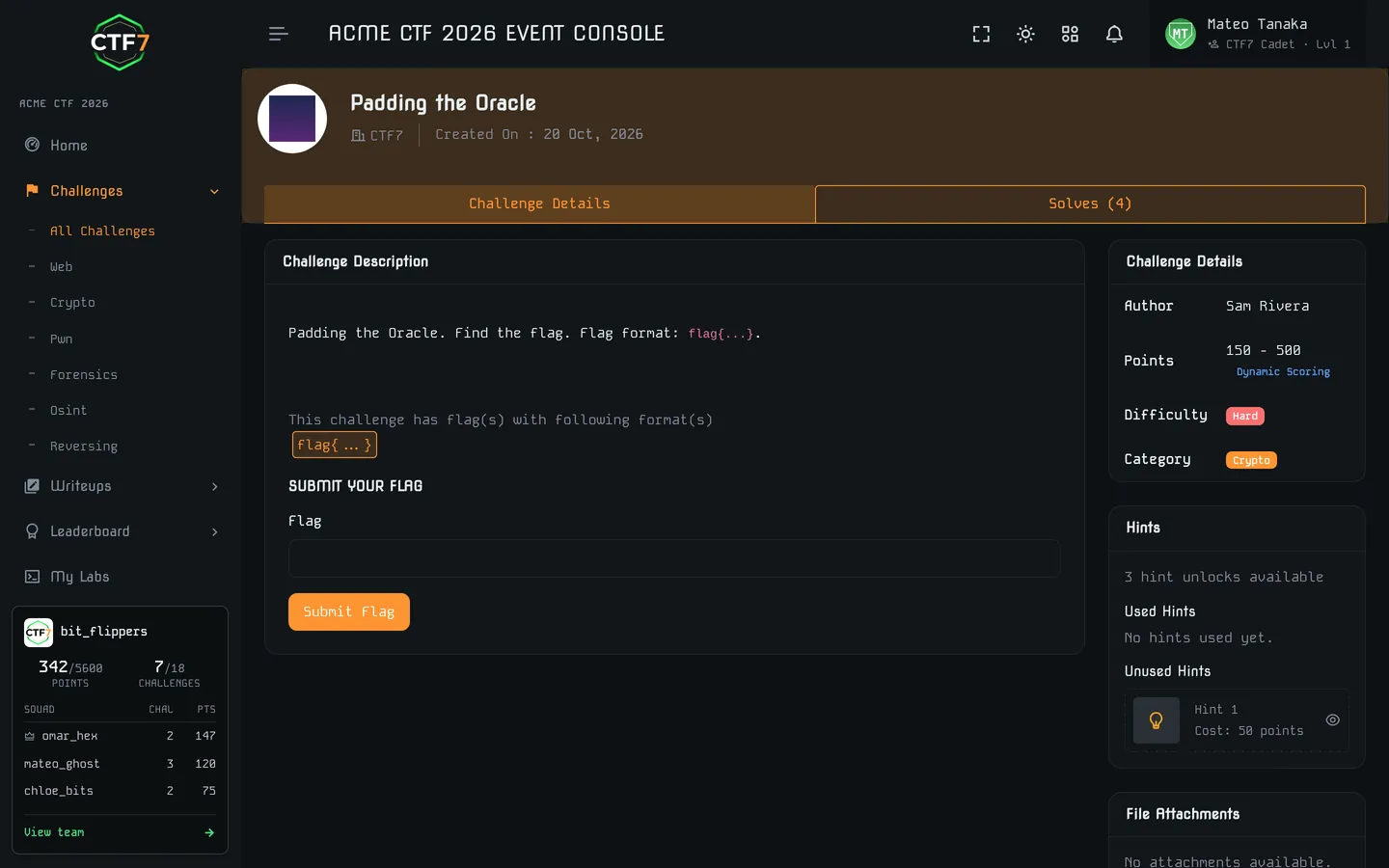
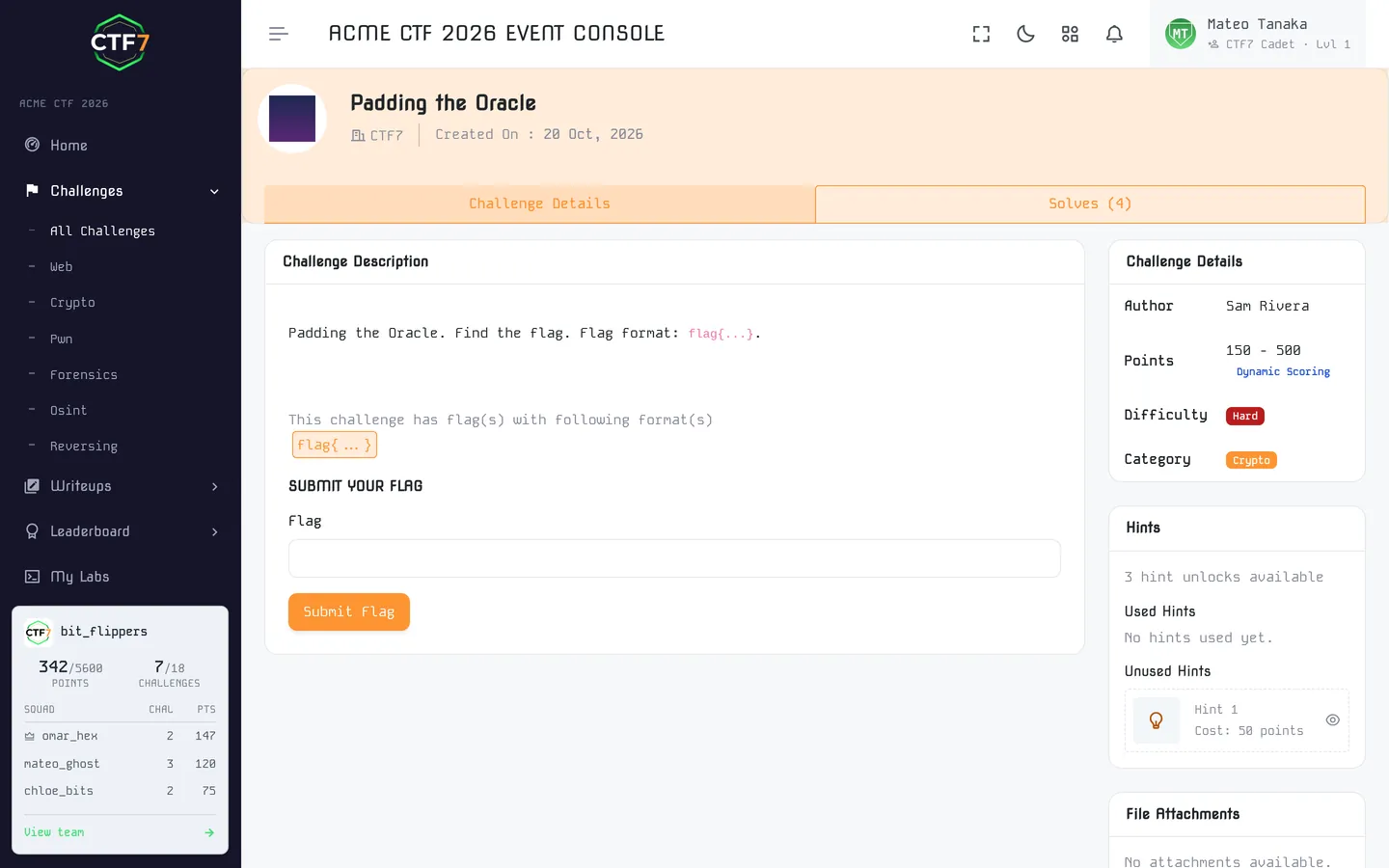
Let's solve a typical 50-point beginner challenge from start to finish, the way you would in a real event.
Challenge: Double Wrapped (Crypto, 50 pts). "Our intern says he encrypted the flag twice, so it's extra secure." Attachment: message.txt
Step 1: Triage the file
player~/double-wrapped❯file message.txt
message.txt: ASCII text
player~/double-wrapped❯cat message.txt
UEdTN3tlMGcxM18xZl9hMGdfcmFwZWxjZzEwYX0=
It is plain text made of upper- and lowercase letters and digits, with a trailing =. That's the fingerprint of base64, which pads its output with = to a multiple of four characters. Base64 is an encoding, not encryption, so it reverses without a key. You can check your result in the encoder and decoder, which decodes Base64 in your browser.
Step 2: Decode the base64
player~/double-wrapped❯base64 -d message.txt
PGS7{e0g13_1f_a0g_rapelcg10a}
Progress: it has the shape of a flag. The curly braces, digits and underscores survived untouched, but the letters look scrambled. Compare the prefix with the known flag format: PGS7 versus CTF7. P is 13 letters after C, G is 13 after T, and S is 13 after F. A fixed shift of 13 that only touches letters is ROT13.
Step 3: Reverse the ROT13
player~/double-wrapped❯base64 -d message.txt | tr 'A-Za-z' 'N-ZA-Mn-za-m'
CTF7{r0t13_1s_n0t_encrypt10n}
tr maps each letter to the one 13 places later, wrapping around the alphabet. ROT13 is its own inverse, so the same command encodes and decodes. The cipher toolkit does ROT13 and every other Caesar shift if you would rather not type tr. Submit the flag and collect your 50 points.
The same solve in Python and CyberChef
import base64, codecs
data = open("message.txt").read().strip()
print(codecs.decode(base64.b64decode(data).decode(), "rot13"))
In CyberChef, drag From Base64 and then ROT13 into the recipe. The "Magic" operation often detects layered encodings automatically, which makes it great for triage. Still, learn to recognize them yourself. For a simpler tool that runs each layer by hand, use the CTF7 encoder and decoder.
What this challenge teaches
- Know the known plaintext. The flag format (
CTF7{) is a crib. Comparing it with the output told us the cipher immediately. - Encoding is not encryption. Base64, hex and ROT13 hide nothing from someone who recognizes them.
- Peel layers one at a time and check what changed after each step.
Harder variants stack five or six layers (base32, hex, gzip, XOR with a single byte) or use a Caesar shift other than 13. The method stays the same: identify, decode, compare, repeat.
A second example: a 100-point web warm-up
The same loop on the HTTP layer, which is where most beginner points live. Here is a typical 100-point warm-up:
Web · 100 pts · "Nothing to see here"
Our intern says the dev files are hidden from search engines, so they're safe. Are they?http://web101.example.lab
Step 1: read the hint. "Hidden from search engines" points at robots.txt, the file sites use to ask crawlers to skip paths.
player~/web101❯curl -s http://web101.example.lab/robots.txt
User-agent: *
Disallow: /dev-backup/
Step 2: follow the lead. robots.txt is a request to polite crawlers, not an access control. Anyone can fetch the disallowed path.
player~/web101❯curl -s http://web101.example.lab/dev-backup/note.txt
Q1RGN3tyMGIwdHNfNHIzX24wdF80Y2Mzc3NfYzBudHIwbH0=
Step 3: recognize the encoding. Letters, digits and a trailing = mean Base64, so decode it (the encoder and decoder does the same in the browser):
player~/web101❯echo 'Q1RGN3tyMGIwdHNfNHIzX24wdF80Y2Mzc3NfYzBudHIwbH0=' | base64 -d
CTF7{r0b0ts_4r3_n0t_4cc3ss_c0ntr0l}
Step 4: submit and take the lesson. The flag explains itself: robots are not access control. The same mistake appears on real websites, which is why checking robots.txt is a standard first step in an actual web assessment. Harder challenges chain several steps like these, and the approach never changes: observe, form a hypothesis, test it, repeat.
Joining a CTF team
CTFs are more fun and more educational in a team. Teammates cover categories you haven't learned yet, and you learn by watching how they think. Most jeopardy CTFs allow teams of 2 to 5 players. Check the rules of each event.
- Start local: college cyber clubs, OWASP and null chapters, and BSides communities regularly field teams. If your campus has no club, start one. Our guide for student clubs shows how.
- Find teams online: many teams recruit through Discord servers and after strong individual finishes at events on CTF7 events.
- Bring something: a newcomer who writes clean notes, handles OSINT or scripts repetitive tasks is valuable from day one. Say which category you want to own.
- Communicate: claim a challenge in the team channel before working on it, post partial progress, and share files and scripts in a shared drive or Git repo.
Starting a team from scratch? Our guide on how to build a CTF team covers roles by category, recruiting, a weekly practice routine and how to run the team during a live event. Want to play but don't have a team? Check each event's page for its team rules, and see how the community partner program connects clubs and hacker collectives across India.
Reading and writing CTF writeups
A writeup is a post-event explanation of how a challenge was solved. Reading them is how you learn the techniques you missed. Writing them is how you lock in the ones you found.
How to read writeups without cheating yourself
- Attempt the challenge first. Read the writeup only after you're genuinely stuck or the event is over.
- Read until you hit the key insight, then close the tab and finish the solve yourself.
- Re-solve the challenge a week later without notes. If you can't, you haven't learned it yet.
- Find writeups on team blogs, GitHub and organizer posts after an event ends.
How to write a good writeup
Explain the thinking, not just the commands: what you noticed, the dead ends and why the final approach worked. Include the minimum code needed to reproduce the solve, and credit the challenge author. Our step-by-step guide on how to write a CTF writeup includes a free Markdown template, a short worked example and screenshot etiquette. Never publish a writeup while the event is still running. That's flag sharing, and it gets teams disqualified. A small portfolio of clear writeups also helps a lot when applying for security roles. Many recruiters now run hiring CTFs for exactly that reason.
Common beginner CTF mistakes, and the habit that fixes each
Most first-month frustration traces back to a short list of habits. Each mistake below comes with the habit that replaces it.
- Tutorial hell. Watching videos for weeks without solving anything. Play from day one. Theory sticks when you need it.
- Starting too hard. A 500-point pwn challenge is not a good first attempt. Clear the easy tier in every category first, and pick events on the right rung of the difficulty ladder.
- Not reading the description. Half of all "impossible" beginner challenges have the hint in the title.
- Searching for the flag instead of the technique. Hunting for someone else's answer teaches you nothing, and during a live event it's cheating. Search for the technique instead: the error message, the odd file header, the name of the cipher. Save other people's solutions for after the event, when reading writeups is exactly the right move.
- Skipping notes. You will meet the same trick again and forget how you solved it. Use the one-file-per-challenge template above from your very first solve.
- Collecting tools instead of learning a few. Installing 200 tools feels productive but isn't. Learn a small core well: browser devtools and Burp Suite for web, CyberChef for encodings, Wireshark for packet captures, Ghidra for reversing, and Python to glue them together. Our CTF tools guide lists what to add next per category.
- Tool-first thinking. Running sqlmap or automated scanners blindly, often against rules. Understand the bug, then automate.
- Specializing too early. Try every category in month one. You might love forensics even if you signed up for web.
- Going it alone. Join a community early: your college club, a local OWASP or null chapter, an event Discord or a beginner forum. Ask questions in team channels (within each event's rules). Everyone was a beginner once, and most players are happy to point you at the right technique.
- Waiting until you feel ready. Nobody feels ready for their first live CTF. Register for a student or beginner event by week four, even if you expect to solve only one challenge.
- Giving up after one bad event. Scoring zero at your first live CTF is common. Read the writeups and play again next weekend.
CTF ethics and legality
CTFs teach real offensive techniques, so the rules matter.
- Only attack what's in scope. In a CTF, that's the challenges themselves. The scoreboard, the platform, other teams' machines (outside attack-defense rules) and the organizers' infrastructure are off limits unless the rules say otherwise.
- No flag sharing or collusion. Sharing flags or solutions between teams during an event is cheating. Modern platforms catch it: on Standard and Premium events, CTF7 can issue dynamic flags unique to each team and monitor submissions for sharing.
- Don't disrupt others. No denial of service, brute-forcing the flag submission endpoint or resetting shared challenge instances out of spite.
- Outside the CTF, get written permission. Testing systems you don't own without authorization is illegal in most countries, including under India's Information Technology Act, 2000, the US Computer Fraud and Abuse Act and the UK Computer Misuse Act. "I was just practicing" is not a defense.
- Channel skills legally. Bug bounty programs, authorized pentests and report-based formats like CTF7 Raw Ops let you hunt real-world-style vulnerabilities with clear scope and rules.
Read each event's rules and the platform code of conduct before you start. This section is general guidance, not legal advice. Once CTFs feel comfortable, CTF vs bug bounty vs pentest covers where the same skills go next, legally.
Starting in high school
Most beginner challenges need logic, patience and careful reading more than advanced coding, so a school student can start with a browser and a few free hours. Cryptography, forensics, steganography, simple web and OSINT are the friendliest first categories. Binary exploitation and reverse engineering can wait until you know some programming.
Age note: under the CTF7 terms of service, if you're under 18, you need a parent's or guardian's consent to use CTF7.
Stay safe and legal
Permission is the legal line. Only touch the systems and files an event or your teacher gives you. That rules out your school's Wi-Fi, the grading portal, classmates' accounts and any public website "just to see". Unauthorized access is an offense under laws such as India's Information Technology Act, 2000, and the US Computer Fraud and Abuse Act. This is general information, not legal advice.
- Protect your identity. Use a username rather than your full name, never share passwords and keep personal details out of public team chats.
- Be careful with downloads. Get tools from official sources, and open unfamiliar challenge files on a school lab machine or a virtual machine rather than a family laptop.
- Research only fiction in OSINT. Look up the invented people and places the event provides, never real classmates or strangers.
What parents and teachers should set up
Most beginner competitions and practice platforms are free, and a laptop with a browser is enough to start. Online events usually run 24 to 48 hours, so agree on playing hours in advance. A well-run event publishes its rules, a code of conduct, a named organizer with a contact address and a clear scope of what may be attacked.
Teachers should ask the school's IT administrator to allowlist the platform's domains before event day, agree on an AI rule and grade a short writeup as well as points. For a supervised event, keep an adult present or reachable throughout, use team channels an adult can moderate, show nicknames instead of real names on the scoreboard and collect guardian consent for every participant under 18. The classroom CTF kit has session plans and an answer-free rubric.
A first two-hour club night
A first school event needs no live servers. CTF7's Free plan hosts one jeopardy event a year for up to 50 participants with static flags and attachments, so every challenge can be a downloadable file or a link.
- Format: two hours after school, teams of two or three, up to 50 players and a teacher in the room.
- Warm-up: a message in a Caesar cipher (crypto, 100 points).
- Forensics: a clue hidden in a photo's metadata (150 points).
- Web: a comment left in a page's source (100 points).
- Flag format: one format for every challenge, such as
CTF7{...}. - Debrief: walk through the solutions together and ask each team for one short writeup.
To set one up, tell us about your school event or read how student clubs run theirs.
Where to play your first live CTF
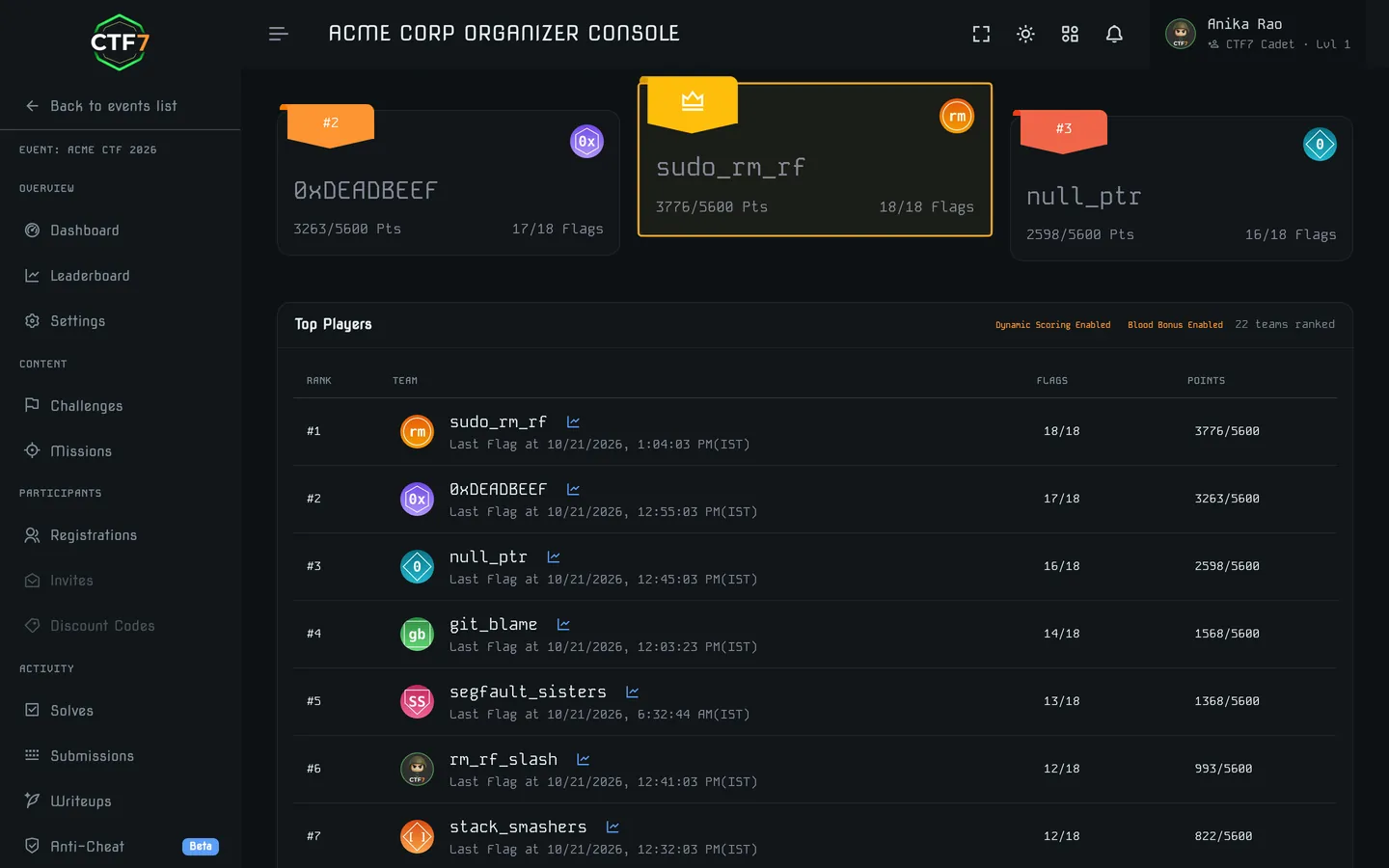
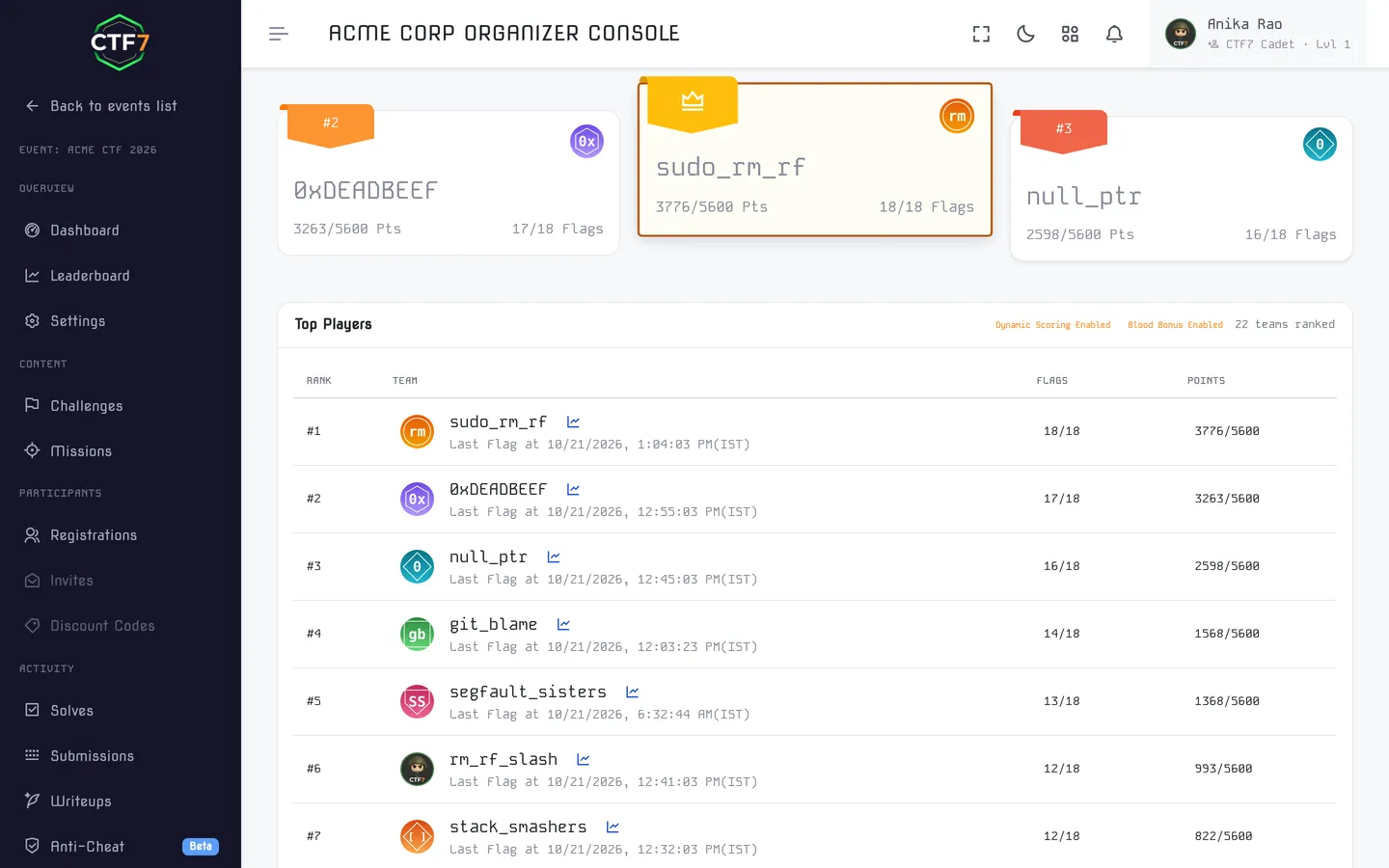
After a few weeks of practice, compete. A live event with a clock and a scoreboard teaches focus and teamwork that practice gyms can't. Look for events labeled beginner-friendly or with a "student" or "newcomer" bracket: rung two of the difficulty ladder.
- CTF7 events: upcoming CTFs, hackathons and workshops, including college and community events across India.
- Ouroboros CTF: not ready for a clock yet? Our practice event is launching soon; until then, keep building solves in the CyLab Security Academy library, then enter a live event.
Running a club? You can host your own beginner CTF on CTF7, with one free event a year for up to 50 players. Organizing a CTF is one of the fastest ways to learn how challenges are built.
What a CTF platform actually does
Every scoreboard you will ever use is the same piece of software under different branding. A CTF platform registers players and teams, publishes challenges and their files, checks submitted flags, calculates scores and shows a live leaderboard. It helps to separate the platform from the targets: the platform is the management layer between organizers and players, while the vulnerable web app, binary or vulnbox you attack is the practice environment, which the platform links to or launches.
The six functions every platform needs
- Registration and teams: player accounts, team creation and team-size limits.
- Challenge hosting: descriptions, point values, file attachments and links to the live targets.
- Announcements and hints: a way to reach every player mid-event with fixes and clarifications.
- Flag checking: instant validation in a known flag format, with every attempt logged.
- Scoring: static points, or dynamic scoring that decays as more teams solve, recalculated automatically.
- Live leaderboard: rankings, points, solves and time taken, updated in real time.
Those six make a working jeopardy event. Everything else follows from the format and the audience: attack-defense also needs a vulnbox per team plus a scoring bot that tests every service each round (see checker and SLA), a large open event needs fair-play controls, and a paid on-site event needs ticketing and check-in.
Three kinds of platform
- Self-hosted scoreboard: open-source software you install and run, which means you own the servers, containers, HTTPS and uptime. Best for teams with sysadmin time and a technical audience.
- Hosted event platform: a service that runs the whole event for you, registration through scoreboard, usually with event operations included. CTF7 is one; suited to colleges, communities, conferences and hiring drives.
- Practice platform or wargame: always-on challenges and guided labs. You play, but you do not run an event. Our practice event, Ouroboros CTF, is this kind of board.
To compare specific options, read our guides to the best CTF platforms, open-source platforms and platforms for universities.
Where CTF7 fits
CTF7 is a hosted event platform: every plan runs on CTF7 with nothing to install, and on top of the six core functions it adds the operations layer many scoreboards leave to separate tools: RSVP and ticketing (open, invite-only or paid, with check-in), an organizer panel for challenges and live submission tracking, formats beyond jeopardy such as Raw Ops and hackathons, and solve analytics afterwards, with participation certificates on paid plans. You can host one jeopardy CTF a year free for up to 50 participants. The Standard event plan (₹9,999 per event, up to 500) adds dynamic flags, anti-cheat, hints, certificates and custom branding; the Premium event plan adds managed container deployment, a custom domain and unlimited participants. See pricing and all features.
CTF vs bug bounty vs penetration testing
All three involve finding vulnerabilities, but the goal, the rules and the output are different. Knowing the difference tells you which skills transfer before you point them at anything that is not a competition.
| CTF | Bug bounty | Penetration test | |
|---|---|---|---|
| Goal | Learn and compete by solving designed challenges | Find real bugs in live products for rewards | Assess a client's security under contract |
| Targets | Intentionally vulnerable systems built for the event | Production assets listed in a program's scope | Client systems agreed in a statement of work |
| Is a solution guaranteed? | Yes, every challenge has a flag | No, there may be nothing to find | No, findings depend on the target |
| Proof of success | A flag string | A reproducible report, triaged by the program | A professional report with risk ratings and fixes |
| Reward | Points, rankings, prizes, recognition | Bounties per valid, unique bug | Salary or consulting fee |
| Time frame | Hours to a few days | Open-ended | Fixed engagement, often 1 to 4 weeks |
| Best for | Learning, practice, hiring signal | Experienced independent hunters | Security professionals and consultancies |
Report-based formats like Raw Ops sit between these worlds. They look like a CTF, a time-boxed event with a leaderboard, but are scored like a pentest: CVSS 4.0-rated vulnerability reports, with bonuses for chaining bugs. What Raw Ops bug hunting is explains how an event runs.
Permission is the real difference
CTFs are legal practice because the organizer owns the targets and invites you to attack them. In a bug bounty program, the published policy is your only permission: testing a site with no program, or anything outside a program's scope, is unauthorized access regardless of your intentions. Read the in-scope assets, the out-of-scope assets and bug classes, the prohibited actions (usually denial of service, social engineering and heavy automated scanning), the testing rules and the disclosure terms before you open the target. A vulnerability disclosure program gives you a channel and permission but usually no money, which makes it a good, lower-pressure place to file your first real reports.
What transfers, and what is new
Web and API skills transfer best, because they are the core of most programs. Access control, business logic and mapping a large application matter far more than they do in a CTF, where targets are small and scoped. Crypto, pwn and reversing are niche but useful for mobile, desktop and hardware scopes. Two things are genuinely new: reading scope as a daily discipline, and written communication as the deliverable. A CTF writeup explains how you got there; a bug report has to be reproducible in minutes on a fresh test account, show impact rather than claim it and rate severity honestly. Inflating severity is the fastest way to lose a triager's trust. Use our vulnerability report template for the format and the CVSS 4.0 calculator for the rating. Expect uneven income: payout requires a finding that is valid, unique and impactful, so treat the first months as paid practice rather than salary.
Which one should you do first?
- Start with CTFs if you are new to security, want fast feedback, learn well in a team, or want to survey several fields before choosing one. The 30-day roadmap above is the way in.
- Start hunting if you already build web applications, are comfortable with HTTP and access control, and can stay patient through weeks without a valid finding.
- Do both if you are aiming for application security or pentest work. CTF results show breadth, accepted reports show you can work on real systems responsibly.
A practical middle step is a report-based round. Play one, submit a writeup-style report, and let a triager rate it. You get the report-writing habit and a scored severity rating without the open-ended wait a live program can hand you, which is exactly the gap Raw Ops was built to fill.