
How do I host a CTF? Define your goal and audience, choose a format (usually jeopardy for a first event), pick a platform and plan about 12 weeks ahead. Build and playtest challenges with a clear difficulty curve, prepare infrastructure and rules, open registration, then run event day from a written runbook and follow up with writeups and certificates.
A typical first event, from planning to wrap-up. A college club plans a 12-hour online jeopardy CTF for about 150 students from three colleges. It fixes the date 12 weeks out, after checking exams and the big CTFs that weekend. Five members write 24 challenges across six categories, and each one is solved by someone other than its author before a freeze two weeks out. Registration opens at eight weeks. A full dry run a week out finds two broken challenge images. On the day, one challenge still breaks at hour three, and the runbook already says who fixes it and what gets announced.
The 15 steps below are that story in detail.
Before you start: four questions to answer first
Almost every decision in this guide follows from four answers: how many players, what kind of challenges, how you'll host them, and what you can spend. Settle them in your first planning meeting and write them down. The ranges below are typical planning figures for three common event sizes, not hard rules.
| Question | Club or practice CTF | College or tech-fest CTF | Conference or open CTF |
|---|---|---|---|
| How many players? | 20–50 participants, usually one campus or community | 100–500 participants, often from several colleges | 500 to a few thousand, online, on-site or both |
| How long? | 3–4 hours, often after a workshop | 8–24 hours | 24–48 hours, sometimes a qualifier plus a final |
| What challenge types? | 10–15 beginner challenges, mostly downloadable files: crypto, forensics, OSINT and simple web | 20–30 challenges across 5–7 categories, with a few web or pwn services | 30–50 challenges with a real hard tier and many service-based challenges |
| How will you host challenges? | Static downloads and external links; most challenges need no server at all | Static files plus a handful of Docker challenge images | Containerized services with isolation, resource limits and a load test |
| What's the budget? | Near zero in cash: a free platform tier, volunteer authors, digital certificates | Platform fee, a few days of cloud, prizes (often sponsor-funded) | A platform quote, more infrastructure, commissioned challenges, venue and prizes |
Players drive capacity, so plan for the number who will be active at the start, not total signups. Challenge types drive infrastructure: a board of downloadable files is cheap and almost unbreakable, while every service-based challenge adds hosting, monitoring and something that can fall over. Hosting is the self-hosted vs managed decision covered in step 3. Budget is usually dominated by people-time rather than servers.
To turn your answers into numbers, use the CTF cost calculator. It estimates platform, cloud, challenge development, staff hours and prizes for self-hosted and managed setups, and its sample budgets show the same pattern at every size: writing and testing challenges costs far more than the servers they run on.
1. Define your goals and audience
Every later decision flows from one question: why are you running this CTF? A college fest trying to excite freshers needs a very different event from a company screening pentest candidates. Write the goal down in one sentence and share it with your whole team.
| Primary goal | What it means for your event |
|---|---|
| Learning / outreach | Beginner-heavy difficulty curve, generous hints, a warm-up workshop, and writeups published right after the event. |
| Community building | Team play, an active Discord, recurring events (monthly or per semester) and recognition beyond the top three. |
| Recruiting | Role-mapped challenges, individual scoring, identity verification, strong anti-cheat and per-candidate reports. See hiring CTFs. |
| Conference CTF | Hybrid on-site and online play, a projector scoreboard, a fixed window that fits the talk schedule, and on-site prize ceremonies. |
| Internal training | Invite-only access, scenarios that match your stack, and skill analytics by category. See CTF7 for enterprises. |
Then describe your audience: expected skill level, number of teams, region and time zones, and whether they'll play on-site or online. Estimate conservatively. Some registered teams never submit a flag, and in free, open online events that group can be large, so plan infrastructure for peak active players, not total signups.
2. Choose a CTF format
For a first event, jeopardy is almost always the right answer. It's the easiest to build, scales to thousands of players, and lets beginners and experts share a board. Choose other formats when your goal calls for them:
- Jeopardy for learning, fests, open events and qualifiers.
- Attack-defense for experienced teams and finals. It needs a game server, per-team vulnerable machines and service checkers.
- King of the Hill for a live, spectator-friendly round at a conference.
- Raw Ops for pentest-style skills. Players submit vulnerability reports that are triaged and scored with CVSS 4.0.
- SOC simulation for defenders: alert triage, log analysis and incident reports.
The last three need far more infrastructure and staff than jeopardy, which is why many hosted platforms, CTF7 included, offer them as managed events run by the provider's team rather than as a setting you switch on. A common structure for bigger events is a jeopardy qualifier followed by an on-site final in a harder format. Our guide to CTF formats compares every option by skills, team size, infrastructure and spectator value, and attack-defense vs jeopardy goes deeper on the two most common choices.
3. Pick a CTF platform: self-hosted vs hosted
The platform runs registration, challenge delivery, flag checking and the scoreboard. You have two realistic paths: self-host an open-source scoreboard, or use a hosted platform that runs the infrastructure for you. Both are valid. The right choice depends on your team's ops experience and how much risk you can accept on event day.
| Self-hosted open-source scoreboard | Hosted platform | |
|---|---|---|
| Cost | Free software; you pay for servers and your own time | A per-event or subscription fee, with free tiers for small events on some platforms |
| Setup | Deploy and configure the database, cache, TLS, backups and monitoring yourself | Create an event and upload challenges in the browser |
| Event-day ops | Your team is on call for scaling, outages and attacks | The provider runs the platform; you handle challenges and players |
| Formats | Usually jeopardy; other formats take extra tooling or custom work | Jeopardy as standard; attack-defense and similar formats are often a managed service |
| Per-team flags | Usually static; unique per-team flags take plugins or custom code | Varies by provider and plan |
| Container challenges | You build and operate container deployment yourself | Varies: bring-your-own images, managed deployment, or links to targets you host |
| Anti-cheat | Usually added with plugins or custom work | Varies: from submission logs to IP and browser signals |
| Code-level control | Full source access and freedom to modify | Configuration and branding, not source code |
Self-host when you have someone who has run production Linux services, you want to modify the platform's code, and you can staff an on-call rota for the whole event. Go hosted when your organizers are students or security people rather than SREs, when the event is high-profile, or when you need dynamic flags, anti-cheat and container challenges without building them. Before you commit to either, ask each option the same questions: what happens if the scoreboard goes down mid-event, who restarts a broken challenge container, and what the submission logs show you afterwards. For named options, see the CTF platform comparison and the guide to open-source options.
4. Plan a 12-week CTF timeline
Work backwards from the event date. Before you lock it in, check public event calendars for big CTFs that weekend, and, for student events, the exam calendar and major festivals.
| When | Milestones |
|---|---|
| T-12 weeks | Goal, audience, format, date and duration agreed. Core team and roles named. Platform chosen. First budget draft. |
| T-10 weeks | Category plan and difficulty matrix. Challenge authors assigned. Sponsor outreach begins. |
| T-8 weeks | Event page, rules and code of conduct published. Registration opens. Event listed on public CTF calendars (for open events). |
| T-6 weeks | First drafts of all challenges. Container images built. Infrastructure design reviewed. |
| T-4 weeks | Playtest round 1. Prizes and sponsors confirmed. Discord or support channel set up. Promotion push. |
| T-2 weeks | Challenge freeze. Playtest round 2 on the production platform. Load test. Volunteer briefing. |
| T-1 week | Full dry run of the participant journey. Runbook and incident playbook finalized. Final reminder email with start time in multiple time zones. |
| T-0 | Event day (see the runbook). |
| T+1–2 days | Winner verification and writeup collection. Results announced. |
| T+1 week | Certificates, feedback survey, challenge source and writeups published, team retrospective. |
Short on time? A small internal or club CTF can be done in 3–4 weeks if you reuse challenges and use a managed platform. The steps that are hardest to shorten are playtesting and the dry run, so protect those.
5. Set a CTF budget
A CTF can cost almost nothing (free platform, volunteer challenges, certificates as the prize) or run to a significant sponsored budget. Know your line items before you talk to sponsors:
| Line item | What drives the cost | How to save |
|---|---|---|
| Platform | Participants, format, hosting and support level | A free tier for a first or practice round; one paid event plan rather than a monthly server |
| Infrastructure | Container challenges, per-team instances, event duration | Static challenges where possible, instance time limits, shut everything down right after the event |
| Challenge development | Number, difficulty and originality of challenges | Volunteer authors from your club; commission only the hard or flagship ones (challenge development) |
| Prizes | Number of places and categories, shipping | Sponsor-provided prizes, vouchers, internship interviews |
| Certificates and swag | Printing, shipping | Digital certificates for everyone, physical swag only for winners |
| Venue and food (on-site) | Headcount and hours | Host inside an existing fest or conference |
| Contingency | Surprises | Keep 10–15% unallocated |
If you charge a registration fee, decide early whether it covers costs or only filters out no-shows. A small fee tends to improve turnout among registered teams. CTF7 supports fee collection as part of registration.
6. Develop challenges and design the difficulty curve
Challenges are the product. Players forgive a plain scoreboard, but they don't forgive guessy, broken or unfair challenges.
How many challenges do you need?
As a rule of thumb, an 8-hour college CTF needs about 20–30 challenges and a 24–48 hour open CTF about 30–50, spread across web, crypto, pwn, reverse engineering, forensics, OSINT and misc. Match the mix to your audience. A beginner crowd needs more web, forensics and OSINT, while an expert crowd expects deep pwn and reverse. Our CTF categories guide explains what each involves, and if you're short of themes, start from our CTF challenge ideas, sorted by category and difficulty.
Target solve distribution
Design the curve first, then write challenges to fill it. These targets work well for mixed-skill audiences. Solve rates are measured as a share of teams that solved at least one challenge beyond the sanity check:
| Tier | Share of board | Target solve rate | Purpose |
|---|---|---|---|
| Sanity / warm-up | 1–2 challenges | ~100% | Confirms accounts and flag submission work |
| Easy | 30–35% | 40–80% | Every team leaves having learned something |
| Medium | 30–35% | 10–40% | Separates the middle of the scoreboard |
| Hard | 20–25% | 2–10% | Decides the podium |
| Insane | 0–10% | 0–3 teams | Keeps top teams busy until the end |
Two checks tell you the curve worked: no one clears the board with hours to spare, and no challenge ends with zero solves unless you intended it. Dynamic scoring fixes point values automatically if you misjudge difficulty. Our guide to how CTF scoring works covers decay curves, hint costs and tie-breaks, and the dynamic scoring calculator lets you test curves against your expected solve counts, so you can publish a scoring model before the event rather than argue about it afterwards.
Use a challenge spec for every challenge
A one-page spec per challenge prevents most event-day problems. Store it next to the challenge source:
name:        jwt-confusion
category:    web
author:      alice
difficulty:  medium
scoring:     dynamic (500 → 100, decay 20)
flag:        CTF7{alg_n0ne_1s_n0t_4_s1gn4tur3}   # or dynamic per team
deploy:      docker, per-team, 256 MB RAM, 0.25 CPU, 60-min lifetime
files:       none
hints:
  - cost: 50
    text: "What does the server trust about the token header?"
playtested:  bob (solved in 40 min), carol (solved in 25 min)
writeup:     writeups/jwt-confusion.md
known-unintended: none
Challenge quality rules
- Solved by a non-author using only the description and files players will receive.
- A writeup exists before launch. It speeds up support, catches unintended solutions and becomes post-event content.
- No guessing. Every step should be reachable by reasoning, not by reading the author's mind.
- One consistent flag format (e.g.
CTF7{...}), stated in the rules, and accepted without trailing whitespace problems. - Descriptions state what's in scope, such as "brute-forcing is not required".
- Hard doesn't mean tedious. Hard challenges should need deep insight, not hours of grinding.
No time to write 30 challenges? Reuse your own past challenges, or commission a set from the CTF7 challenge development service.
7. Prepare CTF infrastructure
Most CTF outages come from three things: an overloaded scoreboard in the first hour, a shared challenge container that one player breaks for everyone, and abuse, meaning players using your servers to attack something else. Plan for all three.
Static files, shared services and per-team instances
| Challenge type | Examples | Trade-offs |
|---|---|---|
| Static download | Crypto scripts, reverse binaries, pcap files, disk images | Cheapest and most reliable; host on the platform or a CDN |
| Shared service | A web app or nc service all teams hit | Cheap, but one player can crash it or leave spoilers for others |
| Per-team instance | A container started on demand for each team | Isolated and fair, but it needs orchestration and time limits to keep costs down |
Capacity math matters for per-team instances. For example, 150 teams × 3 instance challenges × 256 MB is about 115 GB of RAM if every instance runs at once. That's why instances need a lifetime (e.g. 30–60 minutes, extendable) and should start only on demand.
Harden every challenge container
Treat every container as something that will be attacked, because it will be. A sensible baseline for a web or pwn challenge:
docker run -d --rm \
  --name chal-jwt-team42 \
  --memory 256m --cpus 0.25 --pids-limit 128 \
  --read-only --tmpfs /tmp:size=16m \
  --cap-drop ALL --security-opt no-new-privileges \
  --network chal-net-team42 \
ctf/web-jwt:1.3- Resource limits (
--memory,--cpus,--pids-limit) stop one fork bomb from taking the host down. - Block outbound internet from challenge networks unless a challenge needs it. This stops players from using your servers for scanning, reverse shells to third parties or crypto mining.
- Separate the scoreboard from challenge hosts. A compromised challenge should never be able to reach the platform database.
- Health checks and auto-restart for shared services, plus a documented way to reset a broken instance.
Scaling, DDoS and abuse
Traffic spikes at the start and whenever a new challenge is released. Put the scoreboard behind a CDN, cache static assets, and rate-limit flag submissions so nobody can brute-force flags. With nginx in front of a self-hosted scoreboard, that can look like:
limit_req_zone $binary_remote_addr zone=submit:10m rate=10r/m;

location /api/submit {
    limit_req zone=submit burst=5 nodelay;
    proxy_pass http://scoreboard;
}
Finally, load test at the T-2 week challenge freeze with realistic numbers of simultaneous logins and submissions. On a managed platform like CTF7, the scoreboard, submission limits and monitoring are handled for you. Your job is to test your own challenge images.
8. Write rules and a code of conduct
Short, specific rules prevent most disputes. Publish them with registration and link them from every challenge page. A solid starter set:
1. Flag format is CTF7{...} unless a challenge says otherwise.
2. Do not attack the scoreboard, platform or other teams' infrastructure.
3. Do not share flags, solutions or hints with other teams during the event.
4. Automated brute-forcing of flags or login is not allowed and not required.
5. Teams have at most 4 members; one account per person.
6. Denial-of-service against any challenge is prohibited.
7. Prize winners must submit writeups within 48 hours.
8. Organizer decisions on scoring and disqualification are final.
That's the minimum. For a complete set you can copy and edit, use our free CTF rules template. It adds eligibility and team changes, scoring and tie-breaks, prize verification, a writeup embargo and AI-usage policy options. Decide the AI question before registration opens rather than mid-event; should your CTF allow AI? walks through the trade-offs.
A code of conduct matters just as much. It should cover harassment in chat and in person, how to report it privately, and what happens next. You can adapt the CTF7 code of conduct.
9. Open registration and manage teams
- Team size: 1–4 is typical for student events; open CTFs often allow unlimited. Solo divisions work well for hiring and training.
- Divisions: Separate "student", "open" or "India / international" boards so beginners have something to win.
- Eligibility: If prizes are restricted, say how you'll verify (college ID, government ID for cash prizes) before the event, not after.
- Access: Public registration, invite codes for private rounds, or an approval queue for vetted events.
- Fees and caps: Decide on fee collection, maximum teams and a waitlist.
- Mentors and judges: Give them limited-permission accounts instead of shared admin logins.
On CTF7, team sizes, open, invite-only or paid access, fees and mentor or judge roles are configured from the organizer dashboard. See event hosting and RSVP.
Listing your CTF publicly
Open, team-based events can be listed on public CTF calendars, which helps teams find your event. List it when registration opens so teams can plan, and have the official URL, dates in UTC and an English description ready. Our step-by-step guide to listing your CTF on CTFtime covers the details. If your event is limited to one campus or to shortlisted teams, say so in your announcement.
10. Configure anti-cheat
The most common cheating in CTFs is flag sharing between teams, followed by multiple accounts and one person playing for several teams. Layer your defenses:
- Dynamic flags. A unique flag per team means a copied flag identifies both teams automatically.
- Submission logs. Review timestamps: two teams solving a hard challenge within seconds of each other is worth a look.
- IP and browser signals. Useful for flagging suspicious account overlap, but never auto-ban on IP alone. On campus networks and hostels, many honest teams share one public IP.
- Writeups for prize winners. Teams that can't explain their solves don't get prizes.
- Clear penalties published in advance: point deductions, disqualification, bans from future editions.
We explain how per-team flags are generated and matched in dynamic flags and anti-cheat for CTFs.
11. Run event day with a runbook
Roles
| Role | Responsibilities |
|---|---|
| Event lead | Makes final calls on scoring, incidents and disqualifications |
| Infra on-call | Watches hosts and containers, restarts services, handles scaling |
| Challenge owners | Available during their challenge's peak hours to confirm bugs and answer tickets |
| Support moderators | Triage tickets and moderate chat; escalate using the playbook |
| Comms | Posts announcements and social updates, runs the projector scoreboard |
| Integrity reviewer | Reviews anti-cheat alerts and suspicious submissions |
For events longer than 12 hours, schedule shifts so no one is awake for the whole run. Tired organizers make bad calls.
Hour-by-hour runbook
| Time | Action |
|---|---|
| T-3h | Infra checks: all challenge images start, health checks green, backups done |
| T-2h | Solve every challenge once on production with a test team, then delete test solves |
| T-1h | Team briefing: roles, escalation path, playbook. Reminder announcement to players |
| T-0 | Open challenges. Post the start announcement and pin the rules |
| T+15m | Confirm the sanity check is being solved and sign-in works. Watch error rates |
| Every hour | Stand-up: ticket backlog, broken or unsolved challenges, anti-cheat alerts |
| Scheduled waves | Release new challenges in waves (optional) to keep engagement up in long events |
| End | Close submissions, freeze and export the scoreboard, announce provisional results |
Incident playbook
- Broken challenge: Hide or pause it, fix it, announce it, and decide in advance whether early solvers keep their points. Usually they do.
- Unintended solution: If it's not an exploit of the platform, let it stand, and note it in the writeup.
- Leaked flag: Rotate the flag (dynamic flags make this trivial) and review submissions after the leak.
- Platform degraded: Post a status update within 5 minutes, and extend the event if the outage was significant.
CTF7 organizers can pause rounds, track submissions live and push announcements from the admin panel.
12. Communicate with participants
Most CTFs run support on Discord. A simple layout keeps it manageable:
#announcements   read-only, the single source of truth
#rules           pinned rules + code of conduct
#general         chat (no spoilers during the event)
#find-a-team     for solo players
#support         opens a private ticket per team via a ticket bot
#writeups        locked until the event ends
Mirror important announcements on the platform itself, because not every player joins Discord. Pre-write templates for predictable moments so you're not drafting under pressure:
[FIX] web/jwt-confusion was returning 500s between 14:05 and 14:20 IST.
It has been fixed and restarted. No flags changed; existing solves stand.
Sorry for the disruption. Open a ticket if your instance still misbehaves.
Answer tickets fairly. Never give one team a hint you wouldn't give everyone. If many teams are stuck in the same place, release a public hint instead.
13. Secure prizes and sponsors
Sponsors want visibility with a technical audience and, often, access to talent. Offer clear packages:
- Brand visibility: logo on the event page, scoreboard and certificates, plus social shoutouts.
- Challenge sponsorship: a sponsor-themed challenge or an entire category.
- Talent access: contact with top players who opt in. Get explicit consent at registration before sharing any participant data.
- Speaking or workshop slot at on-site events.
For prizes, spread recognition beyond the top three: best beginner team, best writeup, first solve per category. Cash, hardware, certification vouchers and internship interviews all work. Publish eligibility rules (region, student status, verification) before the event, and check local tax and shipping rules for international winners.
14. Running a hackathon instead
A hackathon has the same skeleton as a competition: goal, timeline, registration, mentors and judges, prizes, a timed run sheet and a wrap-up. The difference is that teams build something and you score it against a published rubric instead of hunting flags. Plan 8 to 12 weeks out, because sponsors, judges and problem statements are the slow items, not the venue. Corporate events have the opposite problem to campus ones: people are available but their attention is not, so get a senior sponsor to protect participants' time and settle data-access and IP questions with legal first.
Problem statements decide what gets built. Open themes ("build anything") maximize creativity but leave you comparing a game with a medical tool. Tracks such as health, fintech or security keep comparisons fair, and specific statements from sponsors or business units produce the most usable output. A good statement names a real user, says what hurts today, and defines what a successful prototype looks like by the end of the event; a bad one is a slogan. Fix the fields once: ID, track, title, who, today, done looks like, out of scope, resources, judged on, owner. Reuse them for every statement. Have someone outside the program team read one and explain it back: if they cannot say what "done" means, teams will not either.
Publish the rubric before teams start building. Teams build toward whatever you say you will score. Use three to five weighted criteria with a fixed scale and written anchors, score what you said you wanted by checking the repository rather than the slides, and vary the rubric by round: an idea round scores problem understanding and feasibility, a build round scores execution. Give every submission at least two independent scores, brief the judges a week ahead, and run a 20-minute calibration where everyone scores the same two sample projects. Decide tie-breaks before the event, not during it.
Running a cybersecurity hackathon? Builders create defensive tools, detection rules or hardened apps, while breakers usually want a jeopardy CTF track running alongside the build. Some organizers use a short competition as round one to screen teams, then end with a round where finalists' projects are reviewed for weaknesses in a report-based format like Raw Ops, scored with CVSS 4.0. Write the scope rules carefully: participants test only the targets you provide, never real services or the event's own infrastructure.
Team size, mentors and prizes work much as they do above, and treat the submission deadline as a hard stop you announce at least three times. Our guides to CTF formats and creating CTF challenges cover the competitive track, and the hackathon solution page shows the same event as it runs on CTF7.
15. Wrap up after the event
- Verify winners using writeups and anti-cheat review, then announce final results.
- Publish writeups and challenge source (for example on GitHub). This is the single most valuable thing you can give the community afterwards.
- Send certificates to all participants, with ranks for top teams.
- Send a short feedback survey within 24 hours: favorite challenge, most frustrating challenge, difficulty rating from 1 to 5, platform issues, and "would you play again?"
- Review analytics: solve counts per challenge vs your target curve, time to first solve, ticket volume by challenge.
- Hold a retrospective and write down three things to keep and three to change for the next edition.
If you listed your event publicly, update the listing with final results. Post your task list so players can attach writeups. A well-run first edition is how the next one attracts stronger teams. CTF7 provides post-event analytics (solve trends, leaderboard insights, report quality) and participation certificates on paid plans.
Common CTF mistakes and how to avoid them
CTFs that go wrong usually fail in predictable ways. These are the mistakes organizers make most often when they first learn how to run a CTF, grouped by where they happen, each with its fix.
Planning mistakes
- Clashing with a big event or exams. A date that overlaps a major CTF, mid-semester exams or a major festival can cut turnout sharply. Check all three before you announce.
- No single decision-maker. When a scoring dispute or a broken challenge lands at 2 a.m., a committee vote is slow and inconsistent. Name one event lead with the final say.
- Budgeting for the platform but not the challenges. Writing, testing and fixing 25 challenges takes hundreds of people-hours. Assign authors at T-10 weeks and track drafts every week.
- Rules written after registration opens. Changing eligibility, team size or prize verification mid-registration starts disputes. Publish the rules with the event page.
- Times in one time zone only. Publish start and end times in UTC and local time, and repeat both in the final reminder.
Infrastructure mistakes
- Hitting cloud quotas on event day. New cloud accounts often have low limits on CPUs, public IPs or instances. Request increases weeks ahead and confirm them during the load test.
- Challenges that can reach internal services. A challenge container that can talk to the scoreboard database or the cloud provider's instance metadata endpoint puts the whole event at risk. Keep challenges on separate hosts and networks, and block those routes.
- No resource or disk limits. One runaway process, or logs filling a disk, can take down every challenge on a host. Set CPU, memory and process limits, and watch disk usage.
- Losing the real client IP. Behind a load balancer or CDN, a misconfigured proxy makes every request look like it comes from one address. That breaks rate limiting and makes IP-based anti-cheat signals useless.
- No backups, or backups never restored. Back up the scoreboard database before and during the event, and practice one restore in the dry run.
Challenge QA mistakes
- Testing only as the author. Authors know the intended path, so they can't see the gaps. A non-author must solve every challenge using only what players will receive.
- Testing locally instead of in production. A challenge that works on a laptop can fail behind the real proxy, under real resource limits or with the uploaded handout. Re-solve everything on the production platform at T-2 weeks and again at T-2 hours.
- Flag and handout mismatches. An outdated attachment, a flag that doesn't match the stated format, or a flag saved with stray whitespace floods your ticket queue. Check each flag against the platform, not the spec sheet.
- Leaky handouts. Files shipped with debug builds, leftover solution scripts or the real flag inside turn a hard challenge into a free one. Build every handout from a clean directory.
- No writeup and no hint policy. Without a writeup, support staff can't tell whether a player is close. Without a hint policy, hints get handed out unevenly. Write both before the challenge freeze.
On-site network mistakes
- Trusting the venue Wi-Fi. Campus and hotel networks often block uncommon ports used by netcat-style challenges, isolate clients from each other or sit behind captive portals. Test from the actual room with a player's laptop a few days ahead.
- One public IP for the whole room. On-site players usually share a single NAT address, so per-IP limits throttle everyone at once and IP overlap flags honest teams. Adjust limits for the venue's address range and never auto-ban on IP.
- No fallback connection. Arrange a wired uplink, a spare router or a mobile hotspot plan, plus printed copies of the rules and support contacts.
- Late VPN or network configs. For an attack-defense final, send connection details and a test target well before the start, and staff a help desk for the first 30 minutes.
- Forgetting power and displays. Count power sockets per team, and test the projector scoreboard on the venue's own screen and network.
CTF hosting checklist
| Phase | Must be done |
|---|---|
| Plan | Four before-you-start answers · one-sentence goal · audience and team estimate · format · date checked against big CTFs and exams · roles assigned · budget |
| Platform | Platform chosen · event page and branding · scoring model · flag format · registration settings · divisions |
| Challenges | Category plan · difficulty curve · spec + writeup per challenge · non-author solve · challenge freeze |
| Infrastructure | Containers limited and isolated · egress blocked · submissions rate-limited · load test · backups |
| People | Rules (from the rules template) and code of conduct published · public listing submitted (open events) · Discord and ticket bot · announcement templates · shift schedule |
| Integrity | Dynamic flags enabled · anti-cheat review owner · penalties published · writeup requirement for winners |
| Event day | T-3h checks · production test solves · briefing · runbook followed · incident playbook ready |
| After | Winners verified · final results posted · writeups and source · certificates · survey · analytics · retrospective |
Hosting your CTF on CTF7
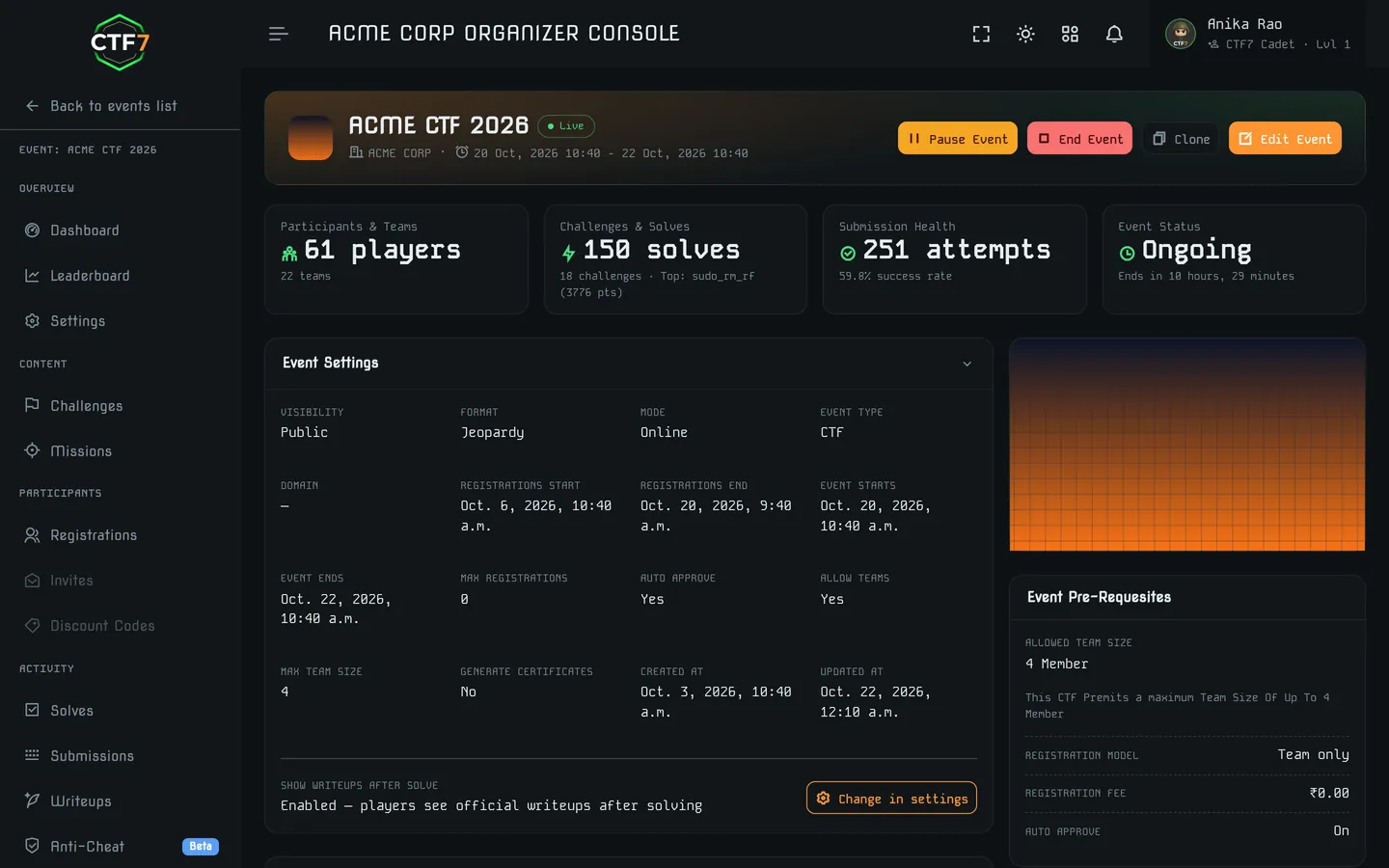
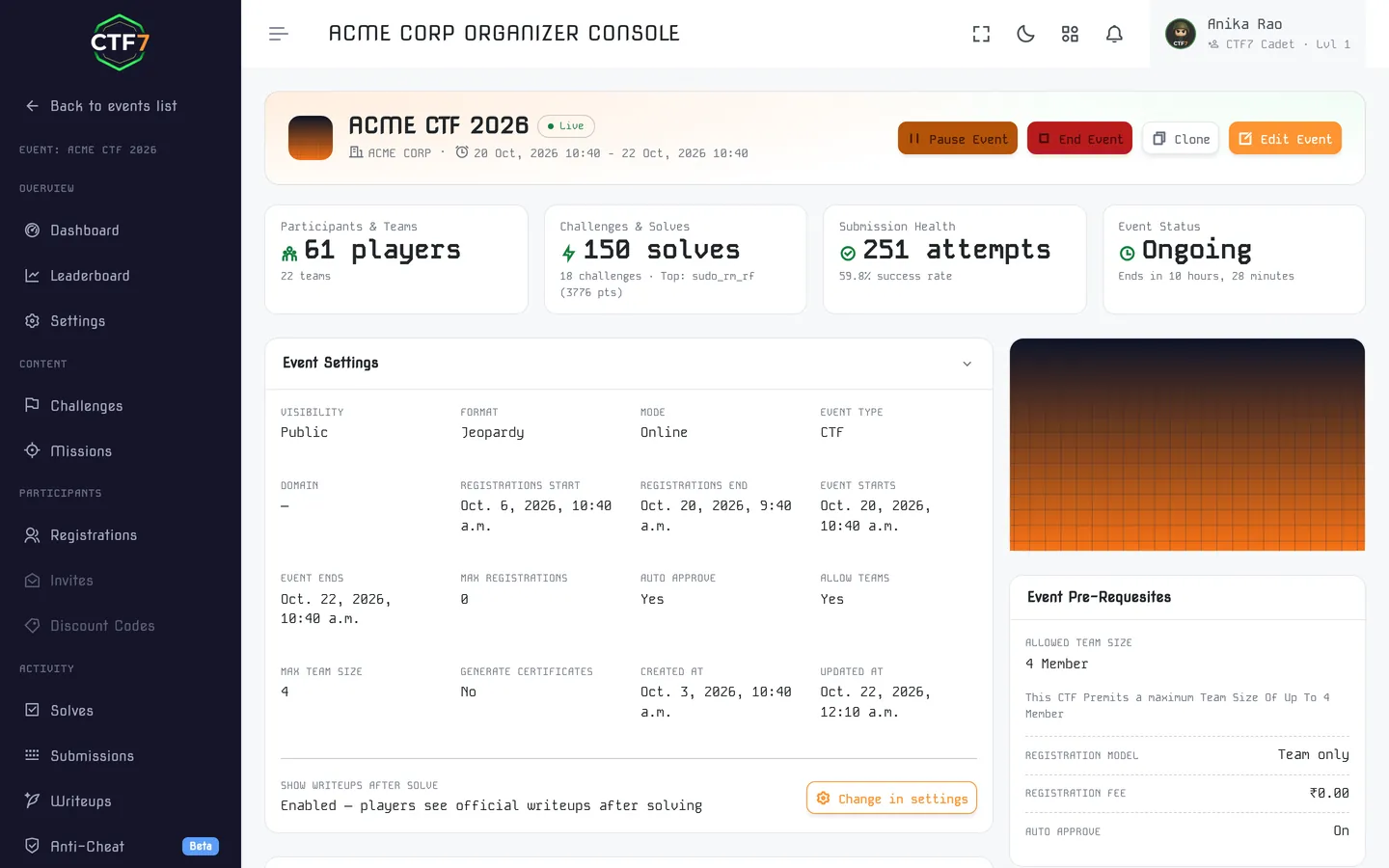
This guide is written to work with any platform. If you do use CTF7: one hosted jeopardy CTF a year is free for up to 50 participants with static flags. The Standard plan (₹9,999 per event, up to 500 participants) adds dynamic flags, anti-cheat, hints and your own Docker images, and Premium adds setup by our team and managed container deployment. Attack-defense, King of the Hill and SOC simulation run as managed Premium events by our team, on request. The same platform runs the Black Hat India Official CTF. Compare the plans on the pricing page, or, if you would rather talk the event through with someone, describe it on our host-my-event page.
Running a college event? Read how to run a college CTF in India.